
Private Beta Early access — limited beta places

Your ERP.
Now in plain English.

Warehouse and operations staff run your ERP by talking to their phone or pointing the camera at it. Gloves on. Radio noise. No keyboard, no desktop, no training day.

  • On-device privacy
  • Client-owned infrastructure
  • Will work with any ERP

Here's what your staff will actually say

Point, tap, or just talk. ERPChat handles the rest.

  • "How many [item] do we have in stock?"
  • "Walk me through the process to …"
  • "What purchase orders are outstanding?"
  • "What items are we running low on?"
  • "Remind me at [time] to …"
  • "Take a photo of an invoice or receipt"
  • "What sales orders are pending shipment?"
  • "Show me today's stock movements"
  • "Record a quality inspection for …"
  • "What's the status of work order …?"
  • "Create a material request for …"
  • "Check stock across all warehouses"
  • "Find the delivery note for …"
  • "Start my next job"
  • "Show me the stock ageing report"
  • "Add [word] as a private keyword"

Built for the floor, not the office

Built for gloves, noise, forklifts, and people who've never opened the ERP. Three things the app is really good at.

Talk to it

Voice is the primary interface. Staff ask questions and issue instructions in plain English — ERPChat understands warehouse intent and turns it into the right action in your ERP.

  • Voice commands in plain English — hands-free, eyes-up
  • The app speaks answers back through a Bluetooth earpiece
  • Verbal pick-route guidance: "Your next parcel is in aisle 34, shelf 6D"
  • "Talk me through it" on-the-spot SOP training, on demand
  • Natural-language reminders: "remind me at 3pm to check receiving"
  • Multi-choice single-tap when the app needs a quick confirmation
Show it

Point the camera at a pallet, label, barcode, invoice, or delivery note. ERPChat reads the scene and files the record in your ERP — no retyping, no clipboard, no end-of-day data-entry backlog.

  • Photo capture of goods, pallets, labels, and documents
  • Built-in barcode and QR scanning
  • Invoice and delivery-note OCR straight into the record
  • Quality-inspection photos tied to the work order

Trust it

AI moves fast, and your ERP is load-bearing. ERPChat is designed so the AI never sees your commercial crown jewels and never writes to your ERP without a human on the trigger.

  • On-device keyword sanitizer — corporate secrets never leave the phone
  • Write-confirmation gate: every ERP mutation shown in plain English first
  • Client-owned Cloudflare Worker — no shared SaaS tenant, no backdoor
  • Keyword dictionary stays encrypted on-device
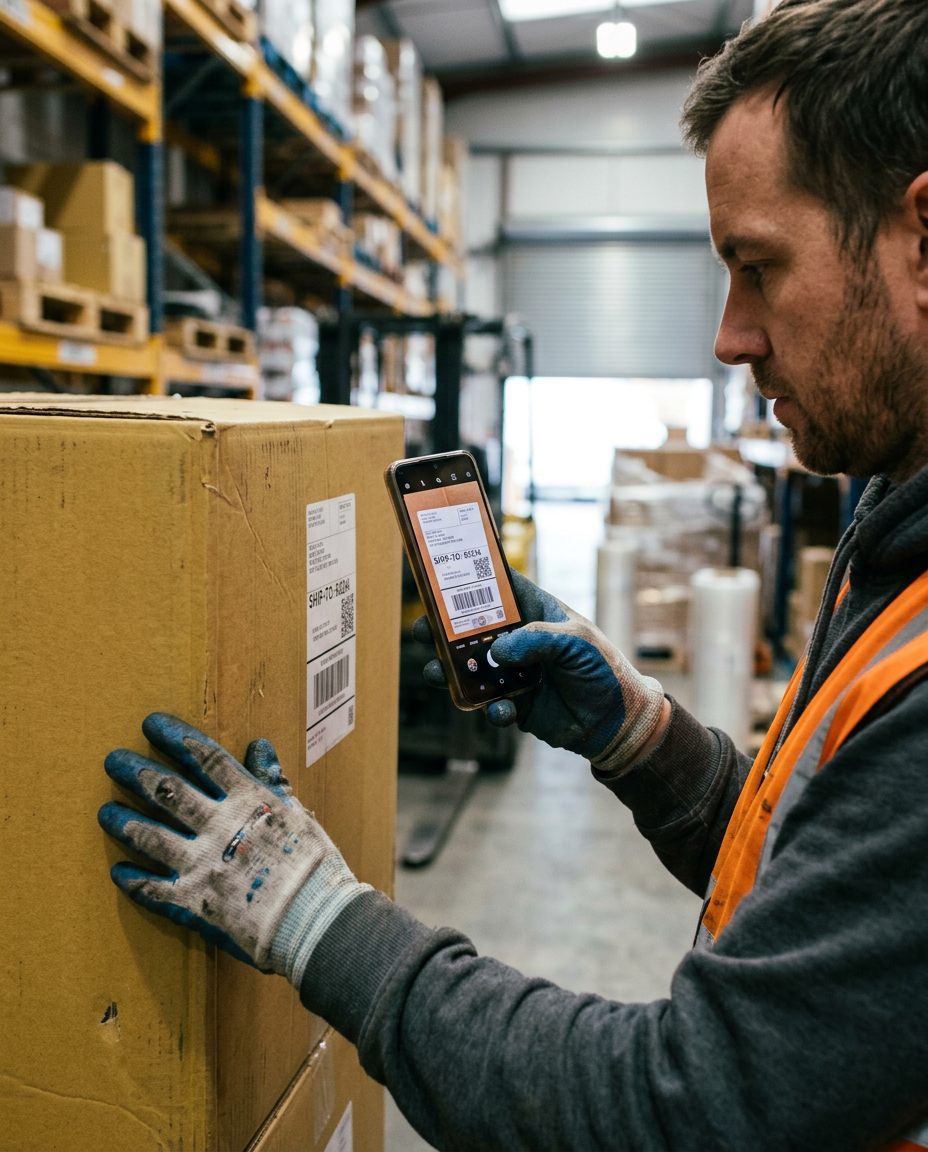
Warehouse worker scanning a shipping label on a box with his phone

Scan, don't type.

Point the camera at a delivery label, pallet sticker or invoice. ERPChat reads the SKU, supplier and quantity and files the goods receipt in seconds — no clipboard, no end-of-day data-entry backlog, nothing to mistype.

Three steps. That's it.

ERPChat is designed to be invisible — staff just talk or photograph, and the ERP updates itself.

  1. Staff speak or photograph

    A warehouse team member issues a voice command or snaps a photo using the ERPChat Android app — no typing, no navigating menus.

  2. Secrets stay on the phone

    Sensitive terms are masked on the device. What reaches the AI is a generic version of the question — item codes, supplier names, and prices never leave your staff's phone.

  3. Your ERP updates in seconds

    The AI's response is translated back into real ERP actions. A push notification confirms the change — so the person on the floor keeps moving and the office sees it land.

The AI never sees your
commercial crown jewels.

ERPChat includes an on-device keyword sanitizer. Before any voice query or typed text is sent to an external AI model, the app replaces all sensitive business terms — item codes, supplier names, pricing, customer identifiers — with neutral placeholders.

The AI sees generic descriptions. Your business-critical vocabulary stays on the device. When the response returns, ERPChat reverses the mapping locally, so the correct real-world records are updated. No raw data in transit. No exposure through AI provider logs.

Sanitization runs entirely on-device
No corporate secrets sent to AI models
Keyword dictionary stays encrypted locally

Built for noise, gloves, and speed.

Hold the phone speakerphone-style and talk. ERPChat handles ambient factory noise and understands operator intent — no headset, no typing, no stopping the line to walk over to a terminal.

Production line worker holding her phone speakerphone-style, talking into the microphone end amid assembly line machinery

Built for how warehouses actually work

The invisible infrastructure that keeps the app useful when the Wi-Fi drops, the phone reboots, or the senior engineer spots a gap at 2am.

  • Works offline

    Voice and photo commands queue locally and sync when connection returns.

  • Push notifications

    Answers and reminders via ntfy & UnifiedPush. No Google Play Services required.

  • Self-updating APK

    Devices auto-update from your own Cloudflare Worker. No Play Store gatekeeping.

  • Zero-touch enrollment

    Staff scan a QR — device provisions itself with per-device credentials.

  • SOPs edited on the fly

    Senior engineers refine procedures from their phone, right when they spot the gap.

  • Misconfiguration detection

    Flags ERP records and setups that look inconsistent before they cause pain downstream.

  • Data-gap filling

    Prompts staff for the bits of a record your ERP is missing — in context, when it matters.

Common questions

The stuff everyone asks on the first call. Save yourself the meeting.

Which ERP systems does ERPChat work with?

Today ERPChat is live against ERPNext. It is designed to work with any ERP that exposes a REST or GraphQL API — SAP Business One, Odoo, NetSuite, Microsoft Dynamics and others are on the roadmap. Tell us yours in your registration and we'll confirm fit on the scoping call.

Where does our data go, and who can see it?

Your ERP credentials and keyword dictionary live on your own Cloudflare Worker and on each enrolled device. Corporate secrets are masked on the phone before anything reaches external AI models — the AI sees neutral placeholders, never your real item codes, supplier names or prices.

There is no shared multi-tenant database and no backdoor into your ERP. Each client runs on their own isolated infrastructure.

How long does a pilot take to get live?

A typical pilot goes from first call to staff-in-hand in around two weeks. Most of that is dictionary setup — the terms specific to your products, suppliers, and workflows that the sanitizer should protect. The app itself installs in under a minute per device via QR enrollment.

What devices do staff need?

Any Android 9+ phone (2018 or later) with a working camera. We recommend a Bluetooth earpiece for hands-free voice replies in loud warehouses. No Google Play Services required — the app installs directly and updates itself from your Cloudflare Worker.

How is ERPChat priced?

We're finalising pilot pricing during the private beta. Drop your email below and we'll share a proposal sized to your team once we've spoken. No obligation, no pricing pressure in the first call.

You're on the list

Thanks for registering your interest in ERPChat. We'll be in touch as soon as a beta place opens up for your team.

Join the beta

ERPChat is in private beta. Tell us a bit about your team and we'll be in touch when a place opens up.

Fields marked with an asterisk are required. We'll only use your details to follow up about ERPChat access.